

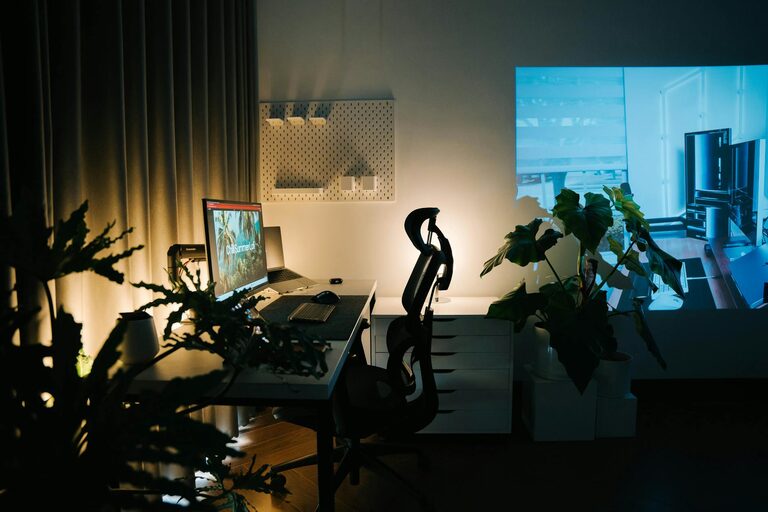
Creating a relaxing home workspace is essential for maintaining focus and reducing stress, especially as many people spend more time working from home. A well-designed workspace not only improves productivity but also enhances your overall well-being. In this post, we’ll explore practical tips to help you transform your home office into a comfortable and peaceful environment.
Why a Relaxing Workspace Matters
Working in a cluttered or uncomfortable area can increase stress and lower efficiency. On the other hand, a calm and organized workspace encourages creativity, concentration, and a positive mindset. Taking time to design your space thoughtfully pays off in better work habits and an improved mood.
Choosing the Right Location
Find a Quiet Spot
Choose a space with minimal distractions, preferably away from high-traffic areas. If possible, select a room with a door so you can close it during work hours.
Natural Light Is Key
Position your desk near a window to benefit from natural light. Sunlight helps reduce eye strain and improves your mood throughout the day.
Comfortable and Functional Furniture
Invest in an Ergonomic Chair
A chair that supports good posture is vital to avoid back and neck pain. Look for adjustable height, lumbar support, and comfortable cushioning.
Opt for a Suitable Desk
A desk at the right height keeps you comfortable. Standing desks or adjustable desks can offer flexibility if you prefer to switch between sitting and standing.
Organize to Reduce Clutter
Use Storage Solutions
Keep your workspace tidy with drawers, shelves, or storage boxes. Organize supplies and documents so they’re easy to access without creating mess.
Limit Desk Items
Keep only essential items on your desk. Too many objects can be distracting and make your area feel chaotic.
Incorporate Calming Elements
Add Greenery
Plants not only improve air quality but also add a soothing touch to your office. Easy-care plants like succulents or pothos work well.
Use Soft Colors and Textures
Decorate with calming colors such as soft blues, greens, or neutrals. Incorporate textures with cushions, rugs, or curtains to make the space inviting.
Manage Lighting
Combine Natural and Artificial Light
In addition to natural light, use adjustable lamps to ensure your workspace is well lit during darker hours. Avoid harsh overhead lighting that can cause glare.
Consider Warm Lighting
Warm, soft light is easier on the eyes and helps create a relaxed atmosphere.
Personalize Your Space
Include Inspiring Items
Photos, artwork, or motivational quotes can boost your mood. Personal touches make your workspace feel more welcoming.
Keep It Minimalistic
Avoid overcrowding the area with too many decorations to maintain a peaceful environment.
Establish Boundaries and Routine
Separate Work and Relaxation
Try to use your workspace only for work. This helps your brain associate the space with productivity.
Set Break Reminders
Incorporate short breaks to stretch or relax. Taking moments to step away can prevent burnout and keep you refreshed.
Noise Control
Use Noise-Canceling Headphones
If your environment is noisy, headphones can help you focus.
Try Background Music or White Noise
For some, gentle background sounds enhance concentration and drown out distractions.
Keep Technology Organized
Manage Cables
Use cable organizers or clips to prevent tangled cords, which can create clutter.
Invest in Quality Equipment
Proper monitors, keyboards, or mice can improve comfort and efficiency.
Final Thoughts
Designing a relaxing home workspace doesn’t have to be complicated or expensive. By prioritizing comfort, organization, and a calming atmosphere, you create a place where work feels less stressful and more enjoyable. Experiment with these tips to find what suits your style and needs best, and watch your productivity and mood improve.